In Week 16 of Advanced 3D Computer Animation, Professor Ting Liu told me Advanced Animation Shot. She explained that I could choose from body mechanics, acting, dialogue shot, animal locomotion, or refine previous work for improvement. She also explained that the aim of this unit is to apply everything learned across the course into one polished animation outcome, with stronger focus on performance, storytelling, and technical control.
Step 1: Choosing the Animation Shot
I chose to develop an advanced dialogue acting shot. I selected this because my previous work with lip sync and dialogue-based animation showed stronger results compared to body mechanics. I also wanted to use this project as preparation for my FMP, where dialogue performance could become part of my final direction.
I used Generative-AI to develop dialogue and its audio for lip sync:
a) Dialogues
Line 1: Honestly… sitting in front of a beach with no workload feels amazing.
Line 2: Just silence, fresh air… feels perfect, doesn’t it?
Line 3: But for me… that’s not happening anytime soon.
Line 4: I got another assignment for this week.
b) Audio
Step 3: Planning the Animation
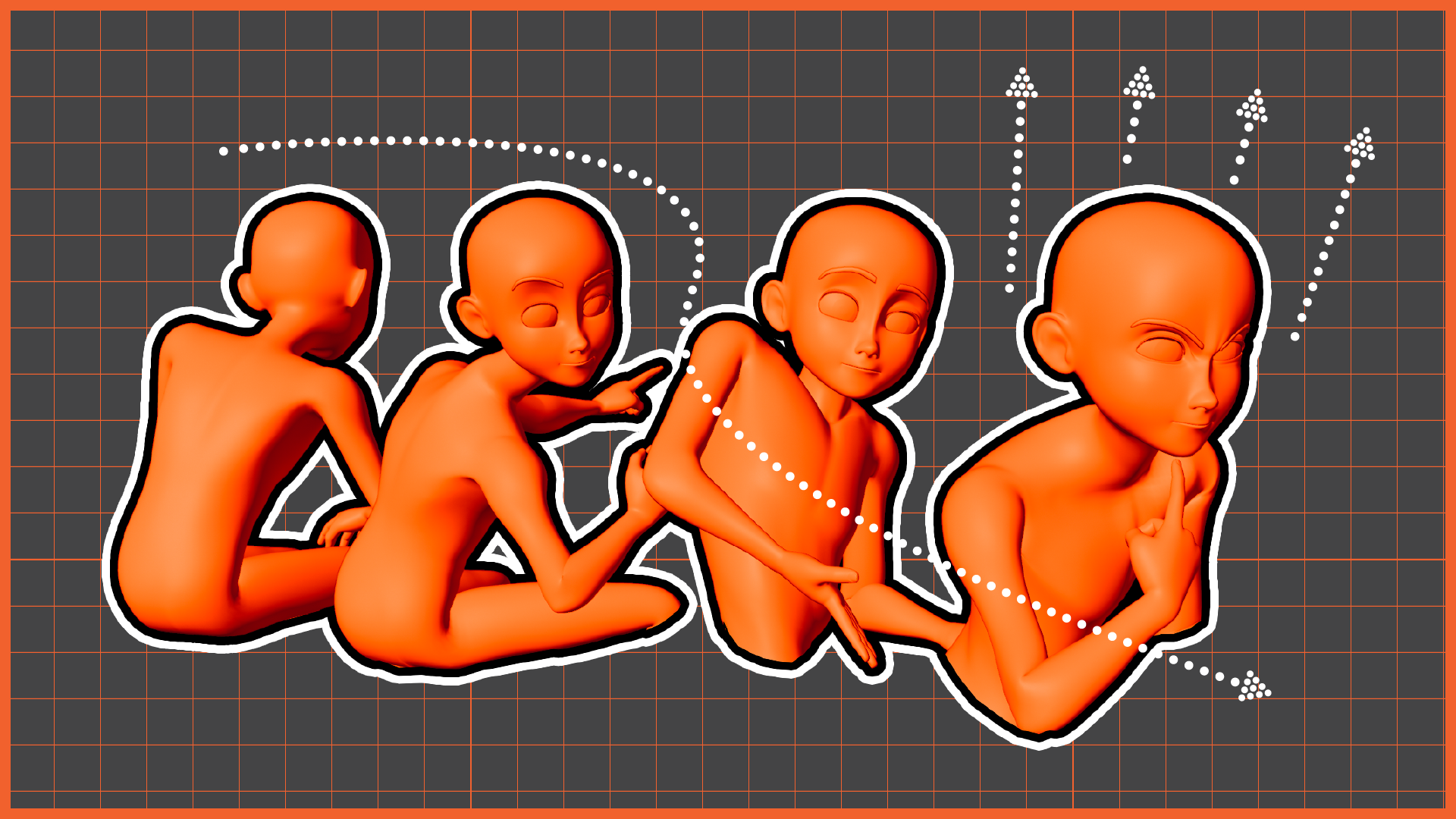
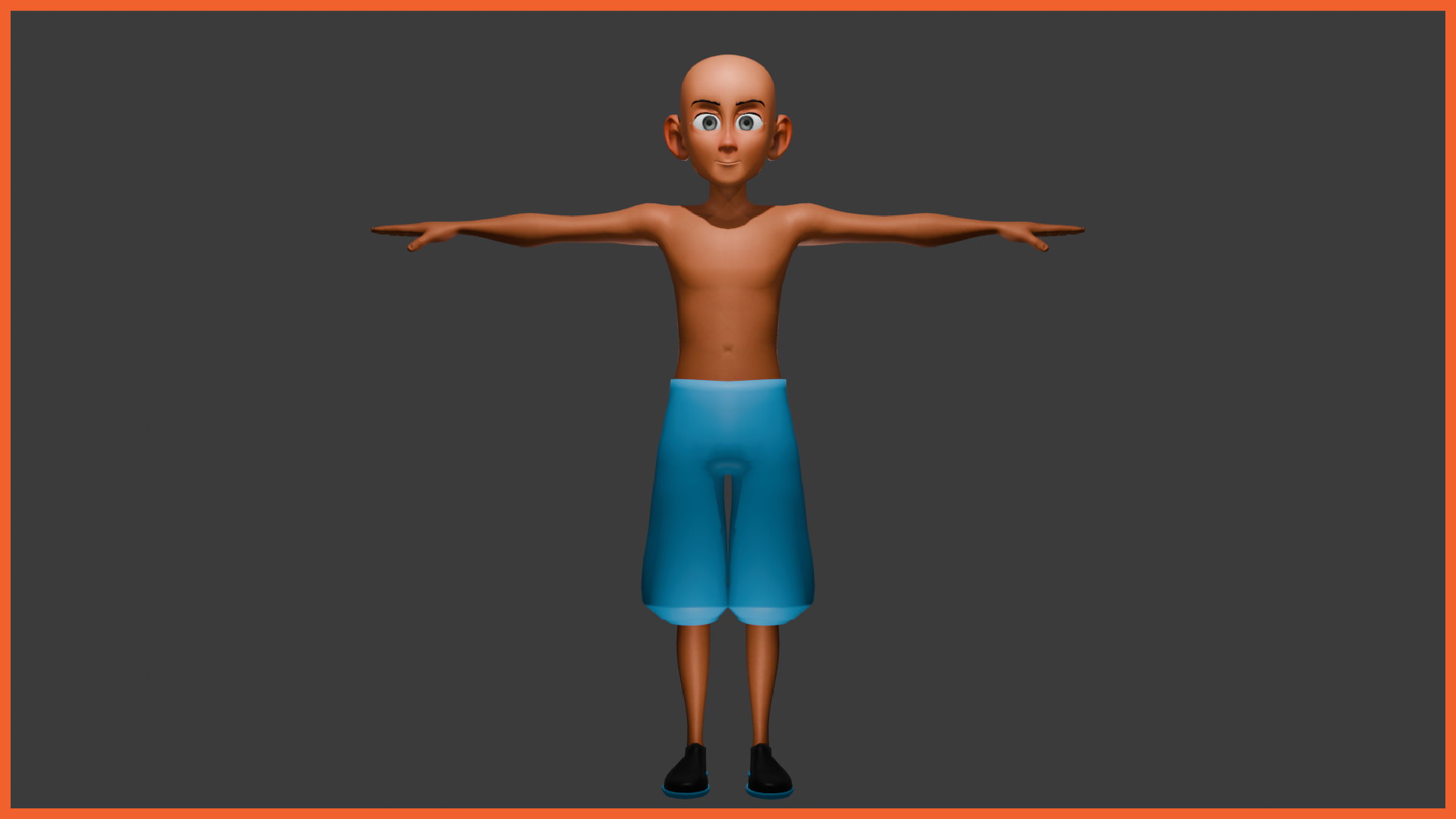
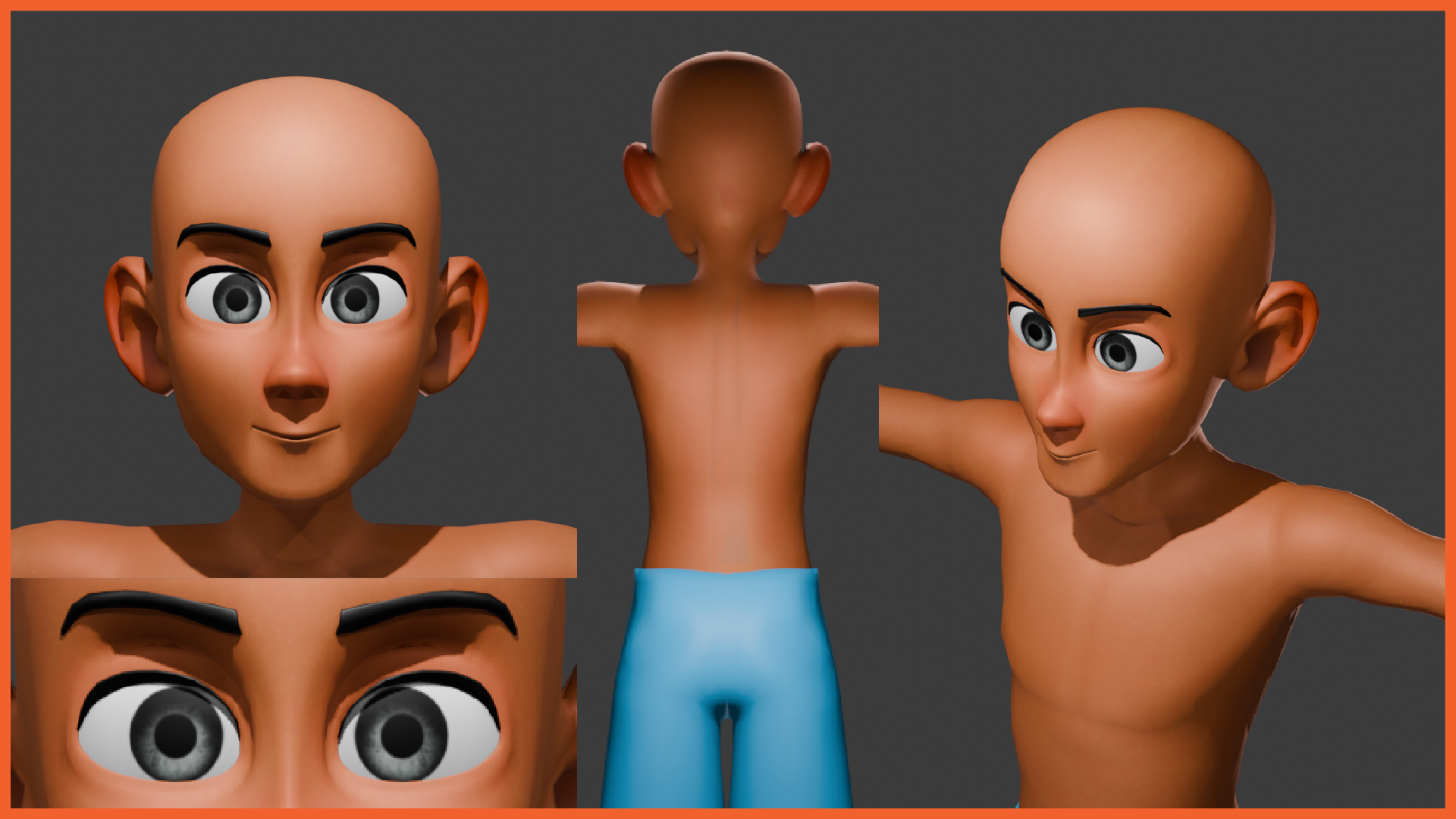
I created a planning stage that included a rig selection based on a human character similar to my own body type:
a) Full View
b) Closeup and back
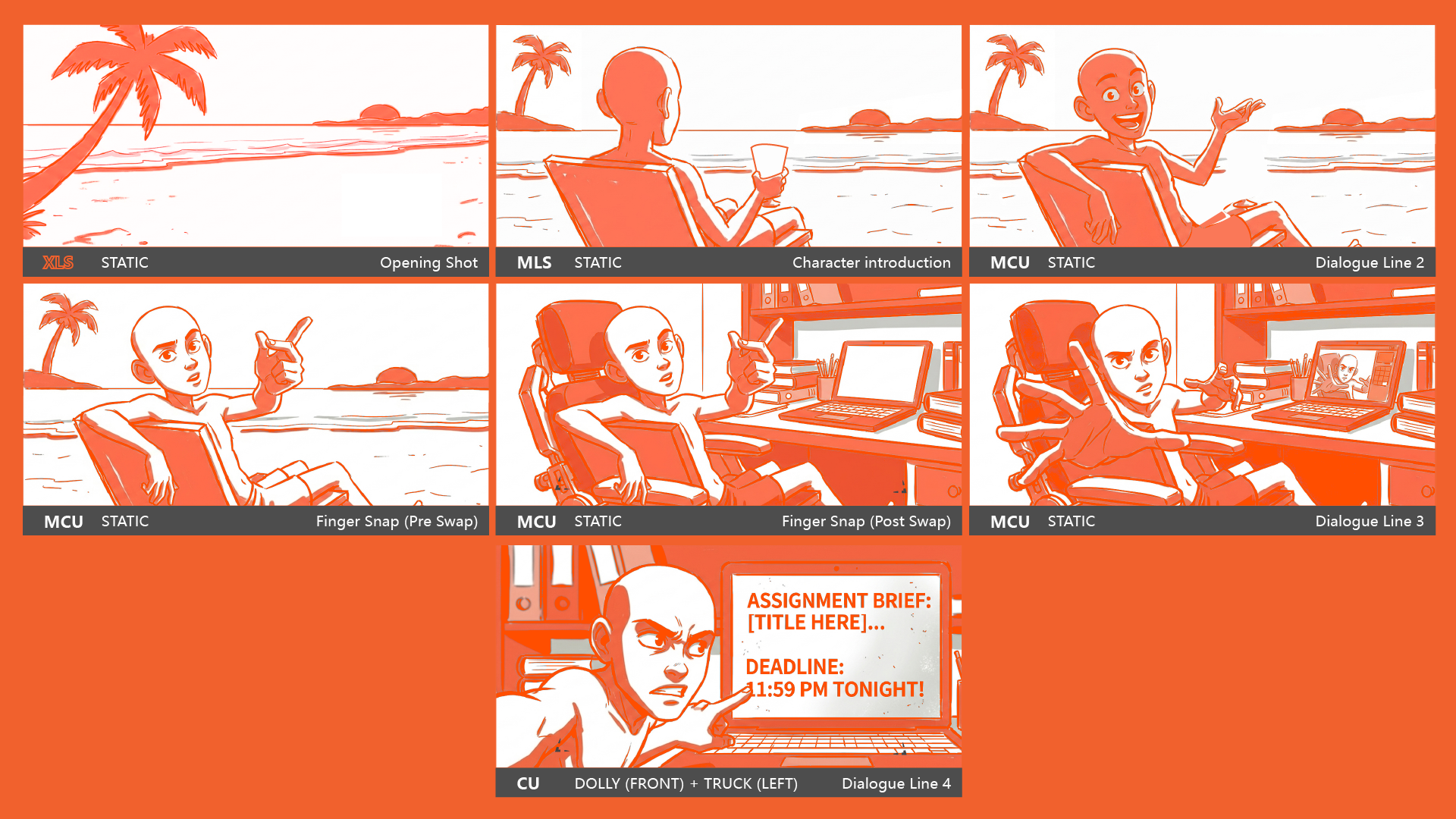
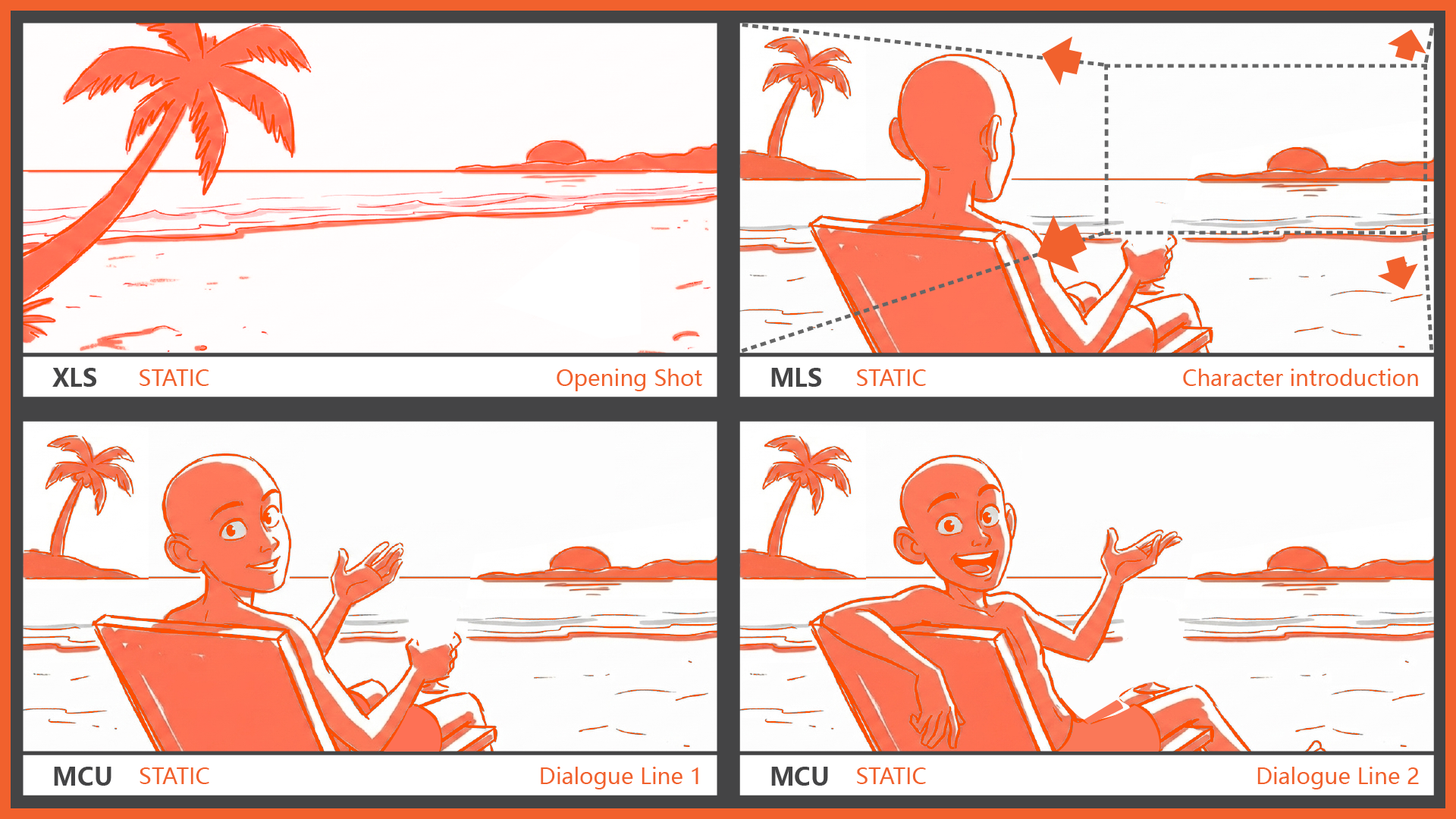
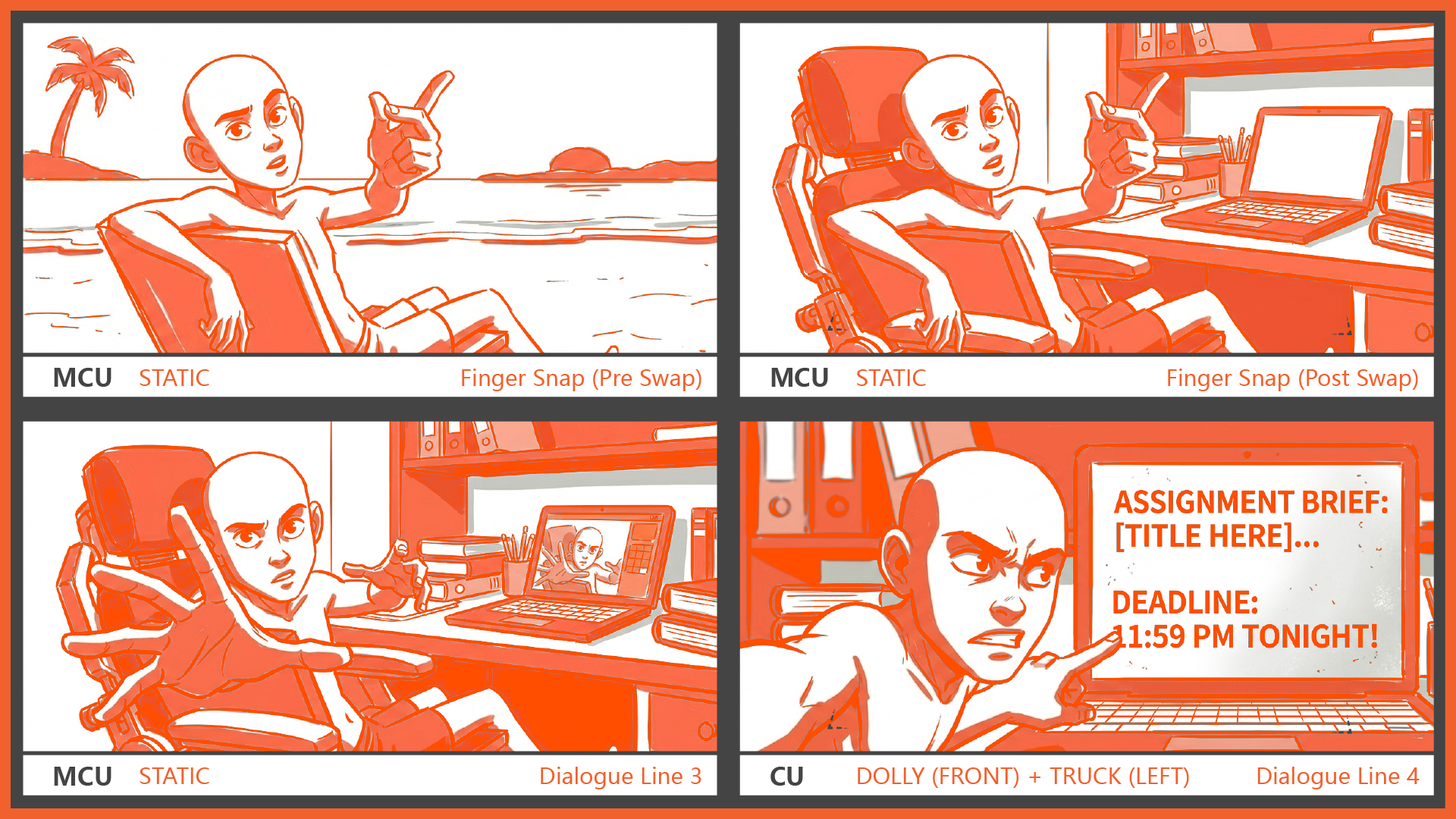
I then developed a storyboard with camera angles, staging, and character movement aligned with the dialogue. I also prepared the shot layout showing how the performance would flow with audio timing.
a) Story
A student sits peacefully at a beautiful beach, relaxing on a beach chair. The environment feels calm, quiet, and far away from deadlines, stress, and academic pressure. As the camera slowly pulls back, the student is gradually revealed enjoying the peaceful atmosphere while looking toward the ocean. After a moment, he turns slightly toward the audience and begins speaking directly to the camera, explaining how nice it feels to enjoy life without work, pressure, or worries.
The scene presents an idealistic escape from reality and creates a calm, dreamlike mood.
However, just as he finishes speaking, he casually snaps his fingers. Instantly, the illusion breaks. Without changing the camera position or the character’s pose, the beach environment suddenly disappears and reveals the truth: he is actually sitting inside his room in front of his laptop, surrounded by assignments and work. Still facing the audience, he admits that he cannot truly enjoy such peace. He then grabs and pulls the camera closer toward himself, showing the audience his laptop screen while complaining that his tutor has already given him another assignment for the week. The animation uses environmental contrast, direct audience interaction, facial acting, and sudden visual transition to create a humorous reveal.
Step 4: Receiving the feedback
After submitting my planning, I received strict feedback from Professor Ting that:
“The idea is strong and shows clear direction, but the remaining time is limited and the level of polish required may be difficult to achieve within the schedule.”
“You should record a clear reference video before moving into animation.”
Step 5: Recording the Reference
I recorded a reference video and used it to support the planning stage. This helped define timing, gestures, and emotional beats more clearly. I understood that reference quality directly affects animation quality, especially in acting-based shots.