
In WEEK 02 of Computer Animation Fundamentals with Professor Ting Liu, I was introduced to a deeper understanding of time charting in animation. She explained how keyframes work, and how the concepts of timing and spacing together bring life and smoothness to an animation. I learned that timing controls the rhythm of the movement, while spacing defines the variation in speed between poses or frames.
Professor Ting explained four main types of spacing used in animation:
a) Linear spacing
b) Ease In
c) Ease Out
d) Ease Ease
She also explained that while timing represents the rhythm or duration of motion, spacing reflects the variation in speed between frames. To help me visualize this, she showed me some rough sketch examples that demonstrated how different spacing affects a character’s movement and the overall rhythm of an animation.
In the next topic Weight in animation, professor Ting showed me several YouTube examples to explain how weight influences motion. The first example was a ball animation, where a heavy ball barely bounced after impact, while a lighter ball bounced higher, showing how mass affects the energy of motion. Another example was a large tree falling, which showed the slow fall, vibration, and secondary actions caused by its heavy mass. A creative 3D video of pancakes falling also demonstrated this, the smaller pancakes bounced lightly, but when one pancake became larger and heavier, its impact was slower and deeper. Through these examples, I understood how to visualize and convey weight in animation.
We also discussed how weight and timing apply to Body Mechanics. I observed how heavier characters move slower with more resistance, while lighter ones react faster and more fluidly. Ting Liu showed some comparisons of characters holding heavy objects, the correct animation showed proper bending of the waist and wider stances, while the incorrect one looked stiff and unrealistic. This helped me understand how exaggeration and balance work together to make the animation feel natural.
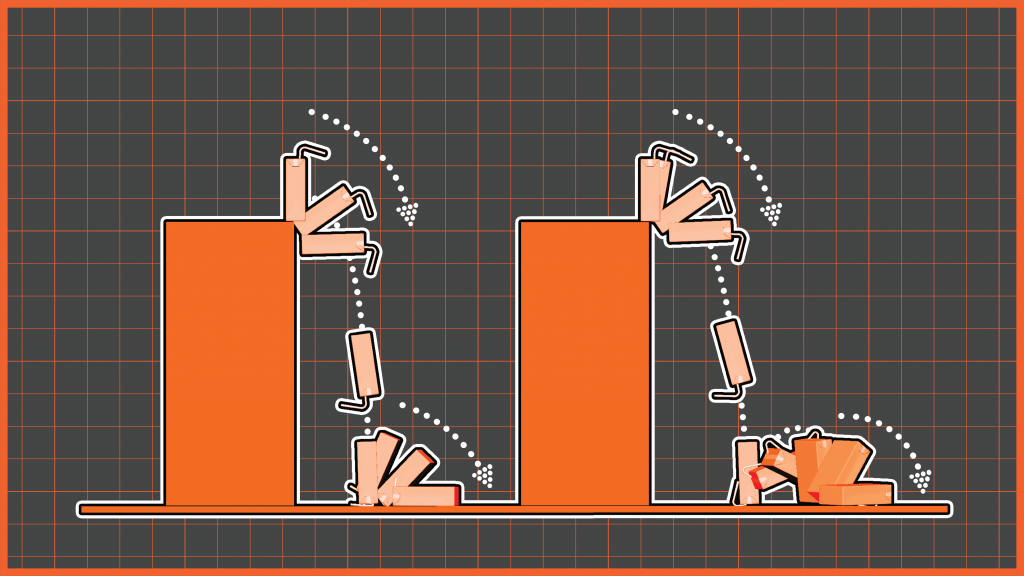
At the end of the session, I received my Week 02 assignment, which was to animate a falling juice box. The task was to show two versions, one juice box completely filled with liquid and another half-empty, to study how gravity and impact affect them differently.
A) FULL BOX
Step 1: Recording the Reference
Step 2: Time Chart and Planning Sketch
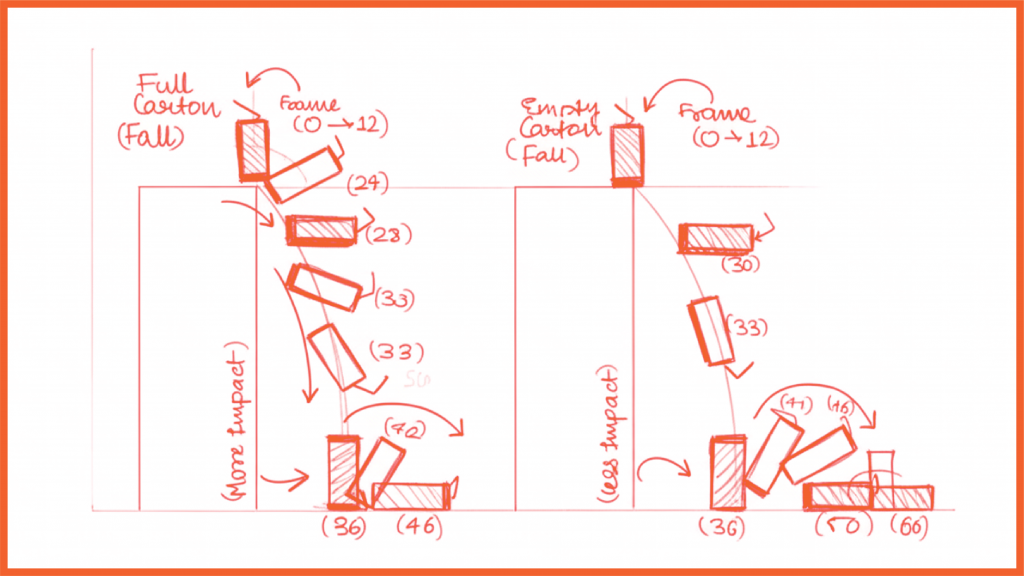
Step 3: Composing the Final Animation
a) Full Box Perspective view
b) Full Box Left View
c) Full Box Front View
A) EMPTY BOX
Step 1: Recording the Reference
Step 2: Time Chart and Planning Sketch
Step 3: Composing the Final Animation
a) Empty Box Perspective view
b) Empty Box Left View
c) Empty Box Front View
Step 4: Receiving the Feedback
When I submitted my Juice Box animation, I received two main feedback points from Professor Ting:
“The box falling and its impact could be a bit faster. Right now, it feels slightly slow compared to how gravity would really act.”
“The rotation of the empty box looks a bit slow and doesn’t match the lightness of the object. Try to make the rotation faster and more natural.”
This made me realize that even a small change in timing can completely change how weight and realism are shown in animation. This helped me understand that timing and spacing must match the physical nature of the object to make it believable. For the revised version, I planned to fix both of these points, increasing the fall speed slightly and adjusting the rotation timing to make the animation look more dynamic and realistic.
Step 5: Recomposing the Final Animation
A) FULL BOX
a) Full Box Perspective view
b) Full Box Left View
c) Full Box Front View
B) EMPTY BOX
a) Empty Box Perspective view
b) Empty Box Left View
c) Empty Box Front View
Step 6: Composing the compiled Perspective view